Why shared folders are not enough for client-ready drone maps
Moving beyond the share link
When you fly a drone for a client, the final delivery is more than just a file transfer. You need to hand over something that looks professional, is easy to view, and gives the client confidence in your work. A simple shared folder, a Dropbox link, a Google Drive folder, or a direct file transfer, often falls short of that standard. The images and maps you produce deserve a presentation that matches the precision of the flight itself.
Shared folders work well for internal team collaboration, but they are not built for client-facing delivery. A client who receives a folder full of TIFFs, shapefiles, and orthomosaics may not have the software to open them, or the patience to figure out which file is which. The result is confusion and a weaker impression of your service. That is why more operators are turning to purpose-built delivery methods that turn raw data into client-ready drone maps.
What client-ready drone maps really need
Client-ready drone maps are not just high-resolution images. They are organized, labeled, and presented in a way that makes sense to someone who does not fly drones for a living. A good delivery system offers a browser viewer so the client can look at the map without installing anything. It allows you to set download permissions, so you control who can save the full-resolution file. And it gives you a way to add a watermark or a logo, reinforcing your brand with every view.
Shared folders lack most of these features. You can upload files and set basic sharing rules, but you have no control over how the client sees them. They might accidentally download a raw file that is not ready for presentation. They might share the link with someone you did not authorize. The folder structure can become messy, especially when you are delivering multiple flights from the same project. Without a system designed for drone deliverables, the final handoff becomes a weak link in an otherwise professional workflow.
How a dedicated delivery platform works
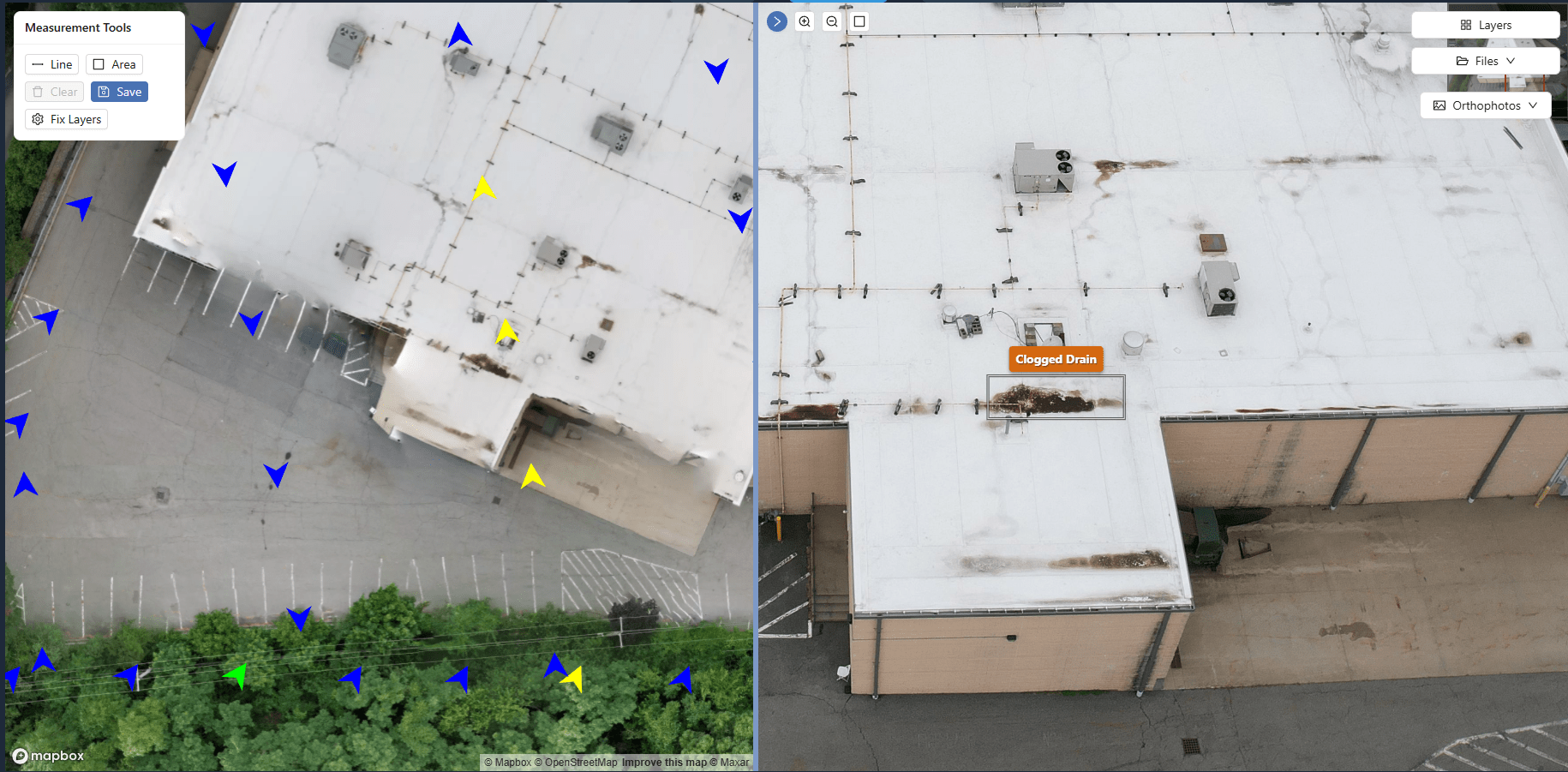
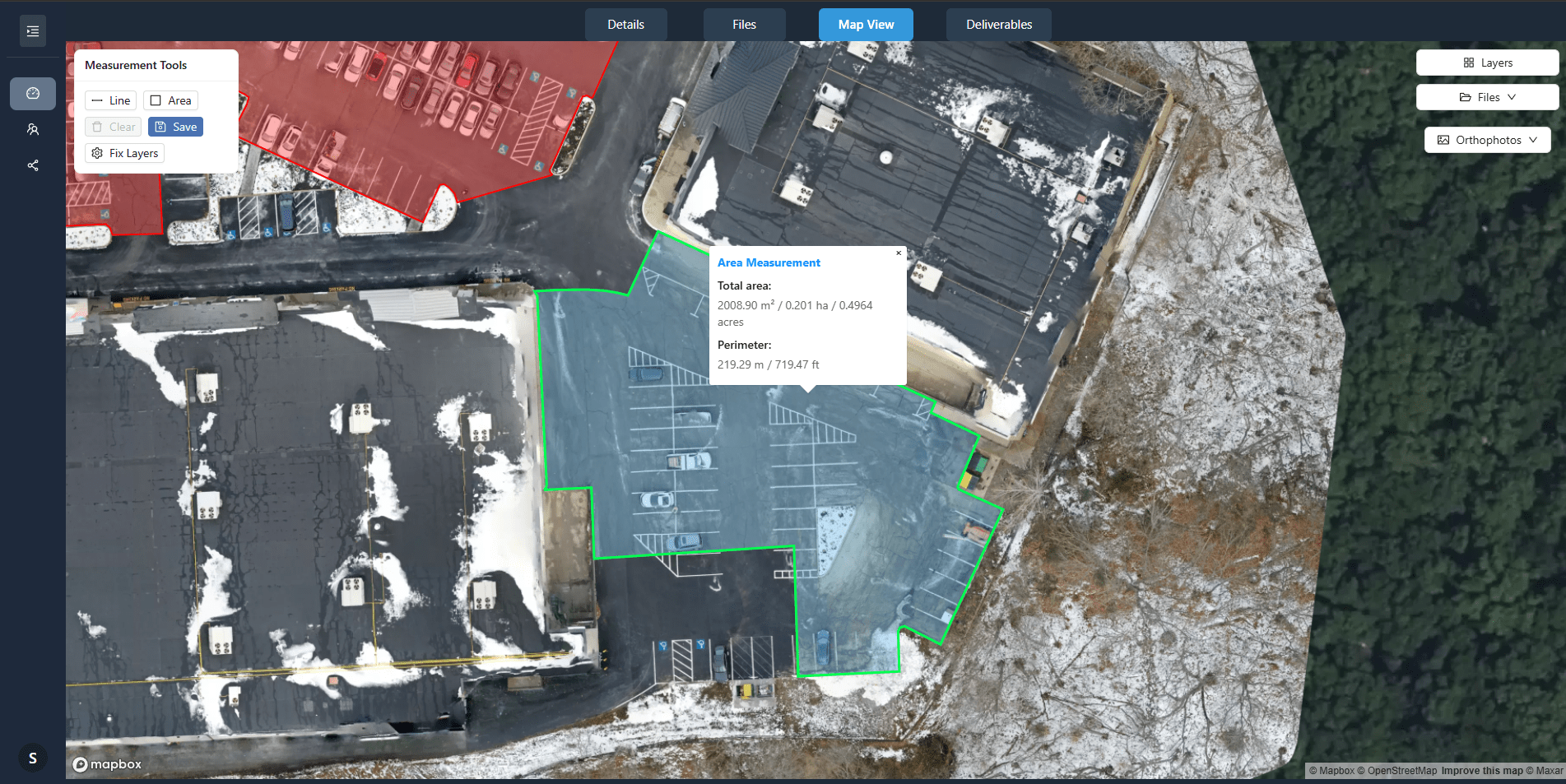
A platform built for drone data delivery changes the experience. Instead of sending a link to a folder, you create a client portal. The client logs in and sees a clean interface with their project name, the date of the flight, and thumbnail previews of the maps. They can open any map in a browser viewer, zoom in, pan around, and inspect details. They can compare two versions side by side, for example, the orthomosaic from last month and the one from today. The interface is intuitive, so they do not need training or a manual.
You control exactly what the client sees and what they can do. You can set download permissions to allow only certain users to export the full-resolution file. You can add a watermark that appears on screen but disappears when they download the official version. You can organize the deliverables into job folders, keeping each flight separate and easy to find. The platform also tracks access, so you know who viewed what and when. That information is useful for billing, for follow-up conversations, and for proving delivery in case of a dispute.
This kind of system is not just about convenience. It changes the way clients perceive your work. When they receive a curated portal instead of a messy folder, they see a business that pays attention to detail. They see someone who values their time. That impression can lead to repeat work and referrals.
The limits of shared folders for drone deliverables
Shared folders were designed for file sharing, not for presentation. They treat every file the same way. A folder full of drone outputs, orthomosaics, point clouds, elevation models, inspection photos, becomes a wall of filenames. The client must guess which file to open and hope they have the right software. Even if they manage to open something, they cannot compare two maps easily. They cannot see a thumbnail preview. They cannot control the resolution of the download. And if the folder contains raw sensor data or processing intermediates, the client might accidentally grab something that is not meant for them.
Another issue is version control. A project that spans several flights produces multiple sets of outputs. If you keep uploading to the same shared folder, the client sees a growing list of files with no clear indication of which is the latest. Renaming files helps, but it is easy to make a mistake. A dedicated platform handles this automatically by organizing each flight into its own job folder and letting you mark the current version.
Security is also a concern. A shared folder link can be forwarded to anyone. You have no way to know who opened the link or how many times. With a client portal, each user has their own login, and the platform logs every view and download. You can revoke access at any time. That level of control matters when the data contains sensitive locations, private property, or commercial information.
What this means for your workflow
Moving from shared folders to a purpose-built delivery system requires a small change in how you organize your files, but the payoff is significant. You spend less time answering questions about which file to open or how to view the map. You spend less time worrying about whether the client downloaded the right version. And you present a more professional image at every step of the project.
National Drone Services, for example, uses a platform that processes, organizes, and delivers aerial imagery and mapping outputs through client portals. That approach gives them a reliable way to hand off client-ready drone maps without the friction of shared folders. It also means they can offer their clients a consistent experience across every project, whether it is a single flight or a long-term monitoring program.
For a drone operator who wants to stand out, the delivery method is a differentiator. Clients remember the easy experience of logging in, viewing their map in a browser, and downloading exactly what they need. They remember the clean presentation and the lack of confusion. That positive impression builds trust and makes them more likely to call you for the next job.
Making the switch practical
If you are currently using shared folders, you do not have to overhaul everything overnight. Start by identifying one or two clients who would benefit most from a dedicated portal. Set up their deliveries using a platform that offers the features described here. See how they respond. Most operators find that clients appreciate the change and that it reduces support questions.
You can also use the platform for internal work. Organize your own inspections and mapping projects in the same system. That gives you a single place to review, compare, and share data with your team. When you are ready to deliver to a client, you simply adjust the permissions and send them the link. The platform handles the rest.
Pay attention to file organization. Name your flights clearly and include the date and project name. Use job folders to keep each project separate. The platform takes care of the presentation, but good naming and structure make it easier for both you and the client to find what you need.
A final note on professionalism
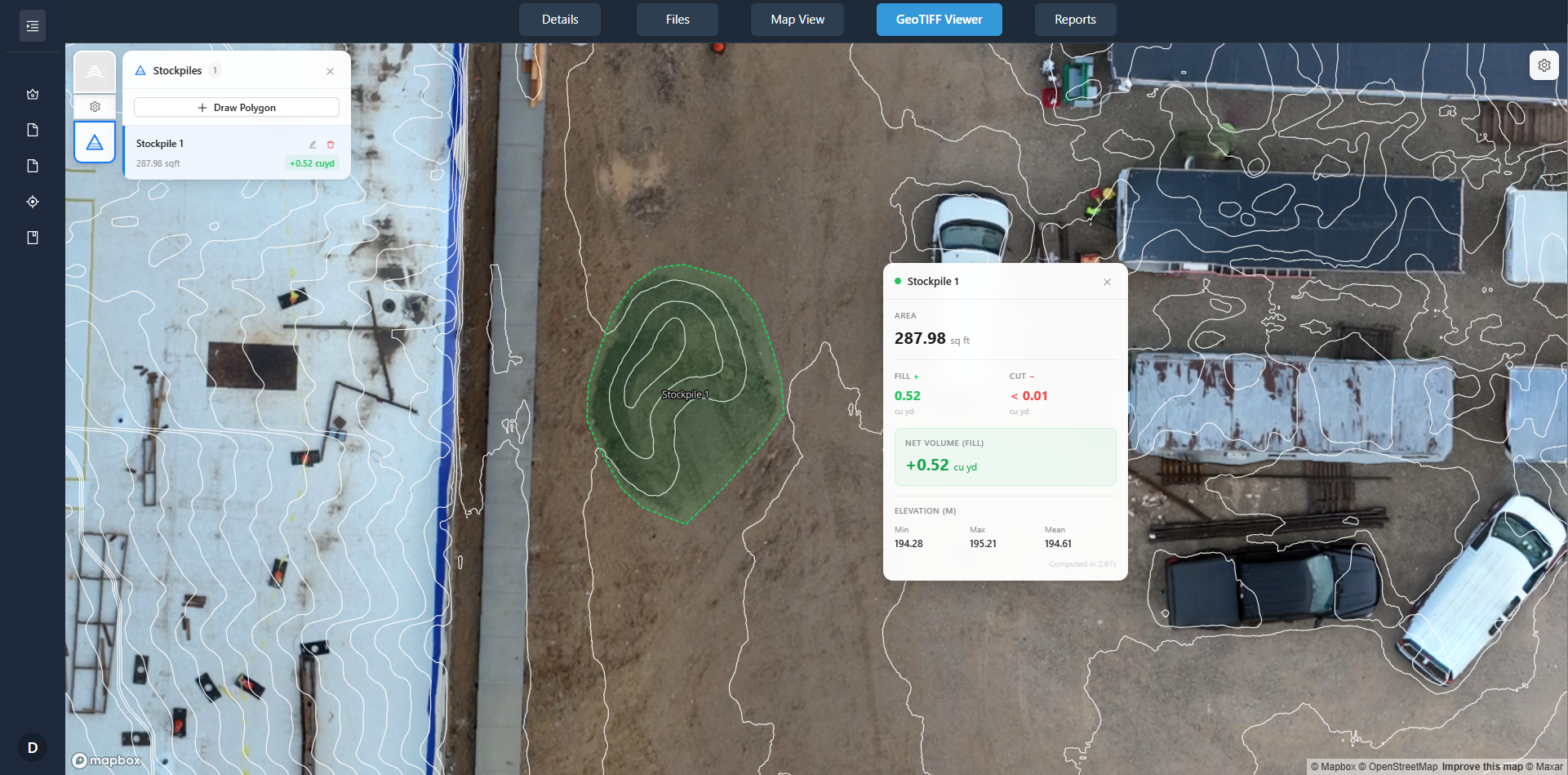
Delivering client-ready drone maps is the last step of your service, but it is the one the client remembers most clearly. A shared folder says "here are the files." A dedicated portal says "here is your project, exactly as you need it." That difference matters in a competitive market. National Drone Services, like many professional operators, has moved beyond the simple share link to give their clients a better experience. The result is stronger relationships and fewer headaches on both sides.
If you have not yet tried a purpose-built delivery platform, consider it for your next project. The shift is small, but the improvement in client satisfaction is real. Your maps deserve a presentation that matches the quality of the flight itself.